Keep panels in plane.
Keep joints consistent.
Gridworx Panel Sync tools help you align wall cladding panels for a cleaner finish.
PANEL ALIGNMENT
Precise alignment.
A cleaner finish.
Panel Sync helps installers fine-tune the faces of adjoining wall cladding panels. This reduces lippage, the unevenness you see and feel when one panel sits higher than the next. As a result, the facade has a flatter, more consistent finish.
Once you line up the panels, the tool holds them in place while the silicone sets. Then you can release it and use it at the next joint. Use PanelSync on residential and commercial cladding projects.
- Fine-tune alignment
- Reduce lippage
- Reuse across installations
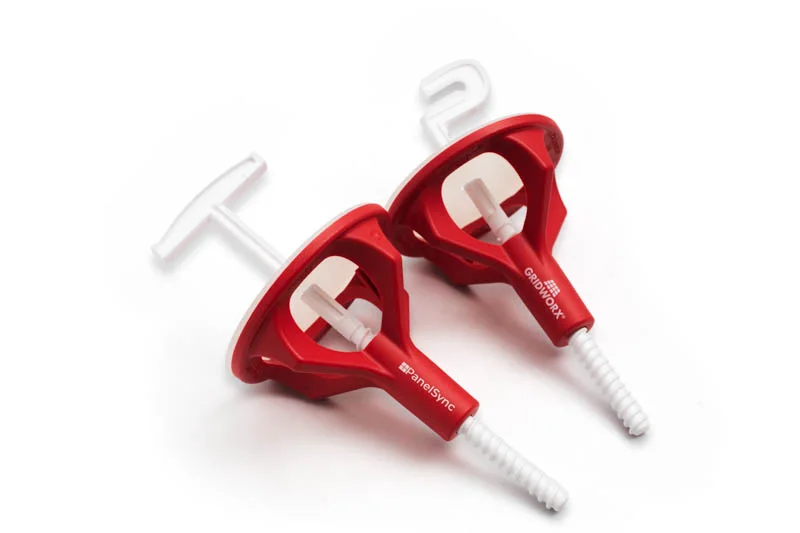
Panel Sync tools for different joints
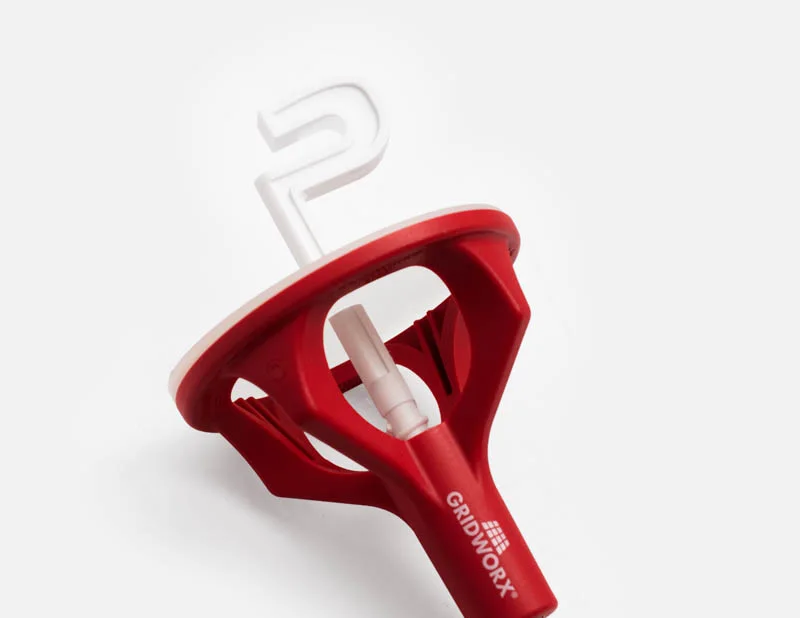
Hook Tool
The Hook Tool engages the Gridworx channel to align adjoining panel faces. For example, use it where four panel corners meet. It also works at vertical and horizontal joints.
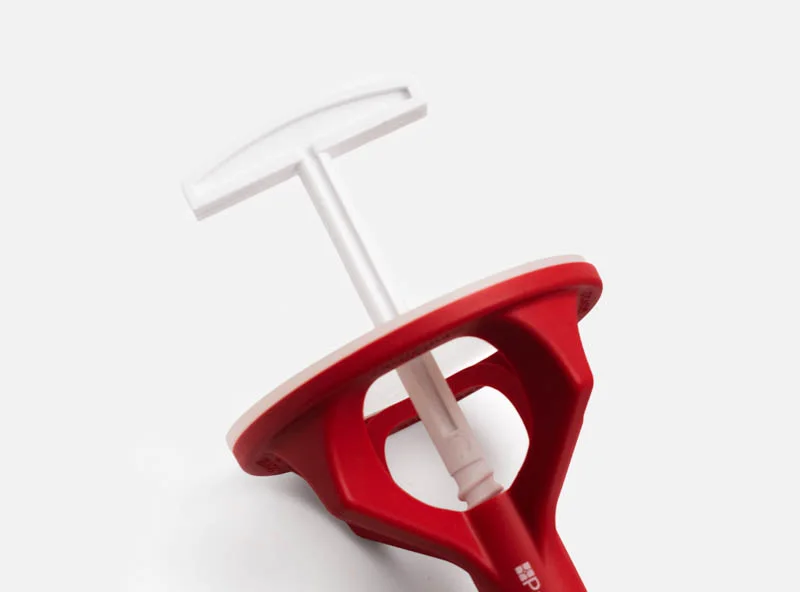
T Tool
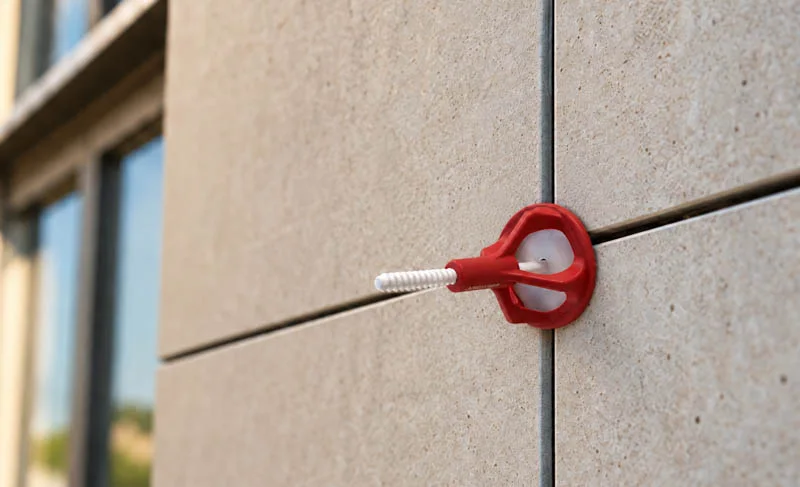
In contrast, the T Tool engages the back surfaces of two panels. Position it in the vertical joint to bring their faces into alignment.
Align with Panel Sync in four steps
The photos show the T Tool at a vertical joint. First, check which tool matches the joint you want to align. Then follow the sequence below to make and hold the adjustment.
Engage
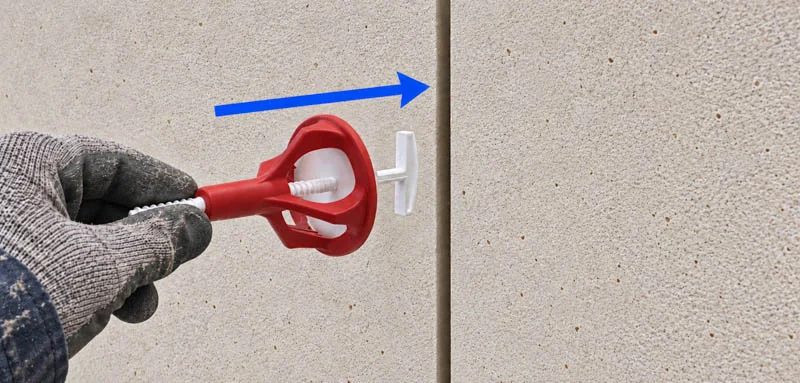
First, position PanelSync at the target panel joint.
Fine-tune
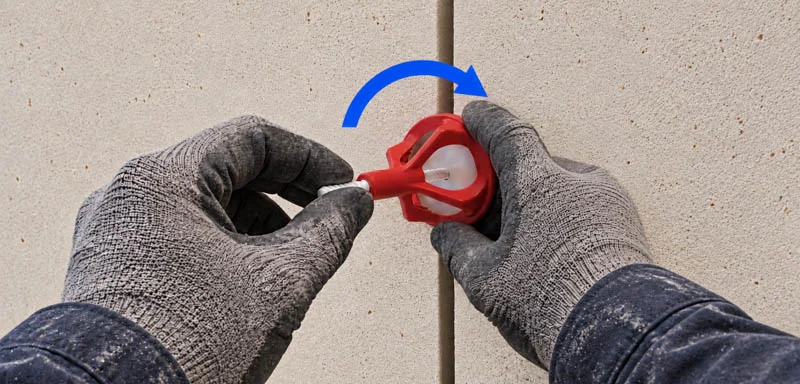
Next, turn the handle to adjust panel alignment.
Hold
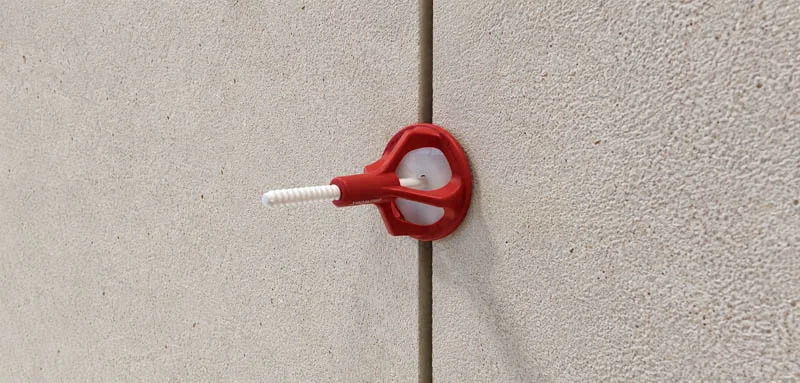
Then maintain alignment while the silicone sets.
Release
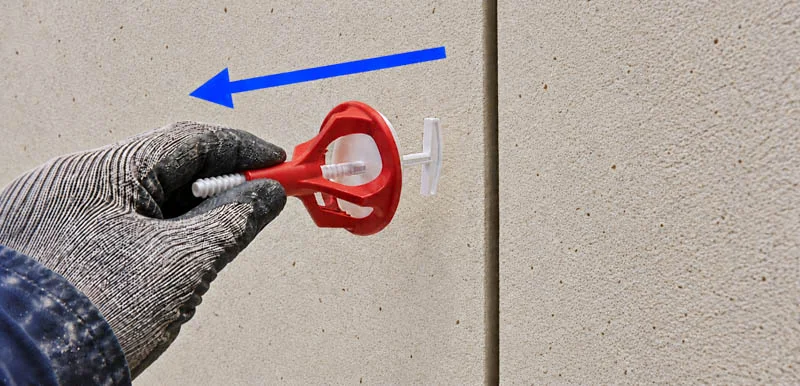
Once the silicone has set, disengage and reuse the tool at the next location.
See PanelSync in action
Watch the tool in use, then share the product sheet with your crew for a quick reference. For help with your Gridworx cladding system, see installation training.
Bring greater consistency to your next installation.
Ask Gridworx about PanelSync.